From a class on your phone to a post you're ready to share
StudentFlow helps with the work between filming your class and posting about it: choosing moments, editing the video and finding the words.
Watch one real example from start to finish.
What the video shows, in words
- Someone films Grady and Karah dancing in class, seen over their shoulder with the phone screen in view. “Your best marketing is already happening in your classes.”
- Step 1. “Film a few minutes of class. No script, no presenter.”
- The clip that phone recorded. “That's the whole shoot.”
- Step 2. The Media screen in StudentFlow, showing the clip and the moment found in it. “Add it to StudentFlow. It finds the moments worth posting.” On screen: the recording went in as three shorter clips.
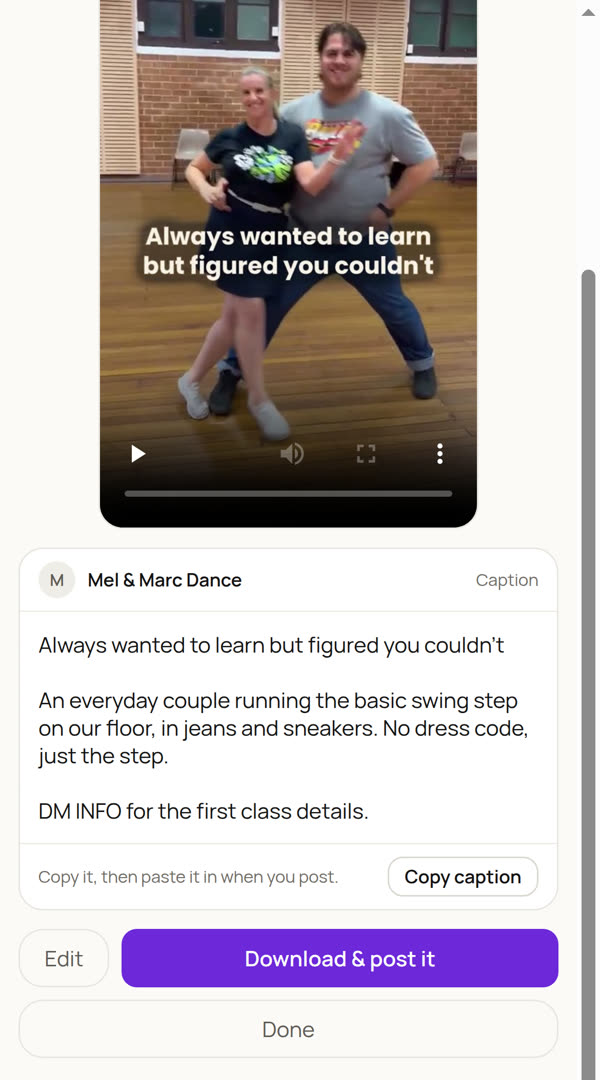
- Step 3. The finished reel's page, with its caption. “Review your post. StudentFlow cuts the reel and drafts the words.” The wait while the reel is built is not shown.
- The caption before and after one fix: the draft said “two everyday couples”, and it was changed to “an everyday couple”. “Change anything that isn't right. Here, the draft said two couples.”
- The phone clip and the finished reel side by side, on the same moment. “Same moment. Same class.”
- Step 4. The reel's page with Copy caption and Download & post it. “Download it, copy the caption, and post it yourself.”
- End card: “Real classes. Ready-to-share posts.” and “Create my first post free”.
1. Add your class footage
Upload videos from your phone. Start with a few clips that give a clear view of your class, your teaching or the atmosphere in the room.
You don't need a professional shoot. You do need footage you're allowed to use and enough clear, steady moments to show what's happening.
What to film in your next class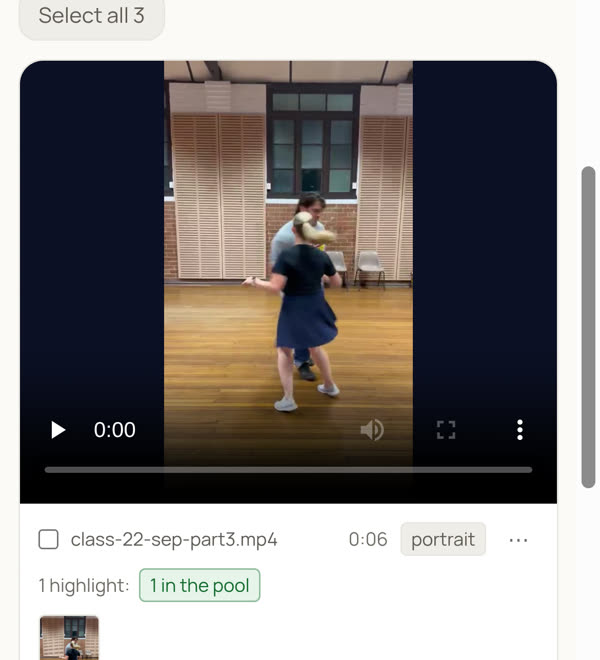
2. Give your posts a sense of your studio
Tell StudentFlow about your classes and what you want new people to know. Your website or Instagram profile can help with setup if you have them.
The useful details are often simple: who a class is for, what a beginner can expect, and how someone takes the next step.
3. Review a finished post
StudentFlow selects moments from your footage, cuts a short video and drafts the on-screen words and caption.
Watch it through. Check the class details. Change any wording that doesn't sound like you.
You decide whether it's ready to represent your studio.
What you do. What StudentFlow does.
| You | StudentFlow |
|---|---|
| Film your real classes and check permission to use the footage. | Find useful moments within the footage you upload. |
| Provide accurate details about your studio. | Prepare short videos, on-screen words and captions. |
| Review the finished post and adjust the words. | Bring the post together for you to download and share. |
| Share posts and respond to people who enquire. | Help you keep preparing content from your class footage. |
Why the moments matter
Imagine someone considering their first dance class. A polished performance shows them what experienced dancers can do. A teacher patiently explaining a step shows them something different: what learning there might feel like.
Both can make useful posts. The right choice depends on what you want the viewer to understand.
StudentFlow helps you turn real moments into a clear message about your class.
See it with your footage
You don't have to imagine whether the result will suit your studio. Try making a post from your own class videos.
No credit card required.